How do I add a discount code to my subscription?Updated 5 months ago
A valid discount code can be added to your subscription when needed.
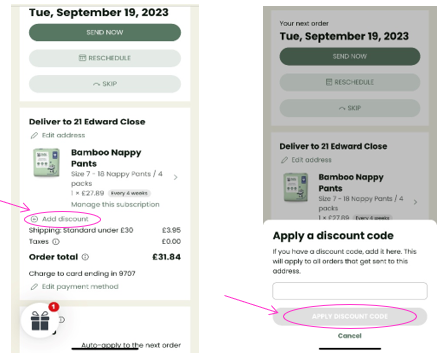
- Log into your Account and select Manage my Subscription.
- On the next page click on ‘Add discount’ under your subscription product.
- A box will open, key in the discount code and click ‘APPLY DISCOUNT CODE’.