How do I add a product to my subscriptionUpdated 5 months ago
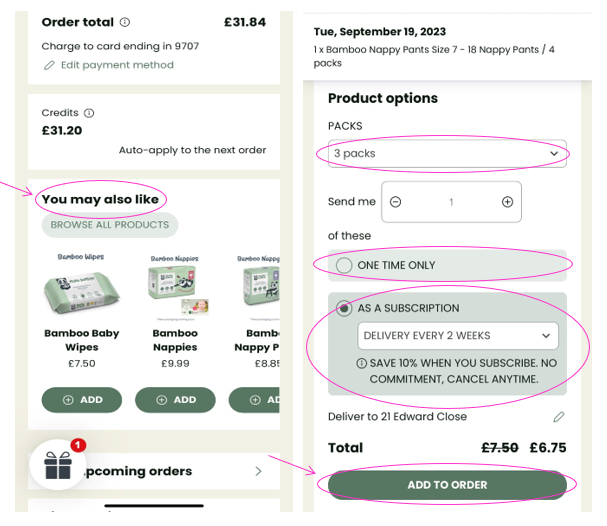
In the same way a subscription can be cancelled from your account, a new product can also be added at any point. They can be added and a one-off products for the next order only or they can be added a new subscription to be included in all future orders.
- Log into your Account and select Manage my Subscription.
- On the next page click, scroll down to the ‘You may also like’ section.
- On the next page choose the size of product from the SIZE drop-down box if applicable; the number of packs from the PACKS drop-down box.
- The product can be added as a one-time only purchase or added as an additional subscription; if it is being added as a subscription a delivery option must be selected.
- Then click on ‘ADD TO ORDER’.