How do I cancel my membership/subscription?Updated 5 months ago
We are happy to assist with instructions on how to cancel your subscription.
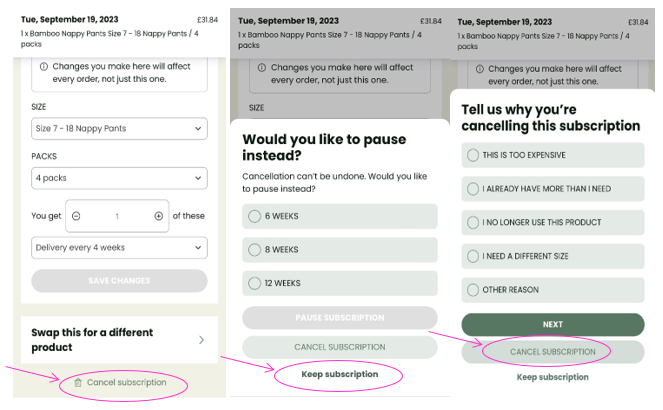
- Log into your Account and select Manage my Subscription.
- On the next page click, scroll down to the bottom of the page. Click ‘Cancel subscription’.
- On the next page you can choose to pause your subscription or cancel. To cancel click ‘Cancel subscription’.
- Select a reason for why you are cancelling and click ‘Cancel subscription’.