How do I change the date of my order?Updated 5 months ago
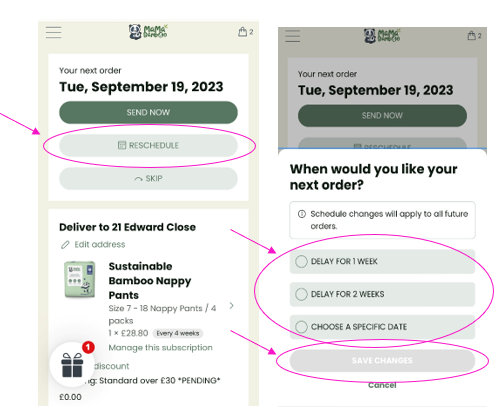
The date of your next order can be changed to a specific date at any point.
- Log into your Account and select Manage my Subscription.
- On the next page click on ’RESCHEDULE’.
- A box will pop up, asking when you would like you next order. The options available are to delay for 1 or 2 weeks of select a specific date.
- Once an option has been selected click ‘SAVE CHANGES’.
Please note this is the date the order will be processed, your order will be delivered 3-5 working days after this date.