How do I skip a subscription order / delivery?Updated 5 months ago
We are happy to assist with instructions on how to skip your next subscription order.
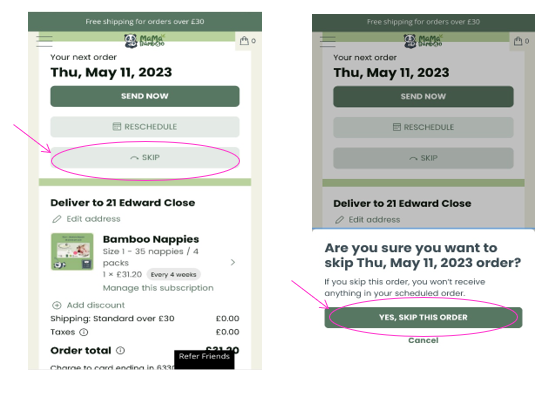
- Log into your Account and select Manage my Subscription.
- On the next page click on ’SKIP’.
- A box will pop up, if you want to continue to skip the order click ‘YES, SKIP THIS ORDER’.
- This order has now been skipped. It can be un-skipped if required.