How do I update my billing address and contact details?Updated 5 months ago
Both your billing address and contact details can be updated from within your subscription account.
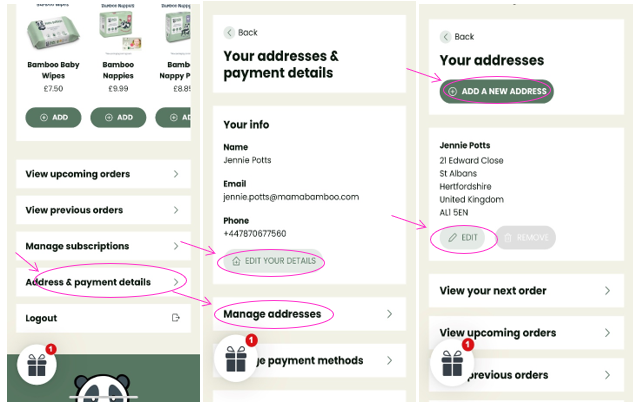
- Log into your Account and select Manage my Subscription.
- On the next page click scroll down to the bottom of the page and click on ‘Address & payment details’.
- On the next page your contact details can be edited by clicking on ‘EDIT YOUR DETAILS’.
- To edit your billing address click on ‘Manage addresses’.
- On the next page click ‘EDIT’ to update the billing address or click ‘ADD A NEW ADDRESS’ to add address.