How do I update my payment method?Updated 5 months ago
How you pay for your subscription order can be edited from within your account. So if your card is expiring it can easily be updated to ensure you do not miss an order.
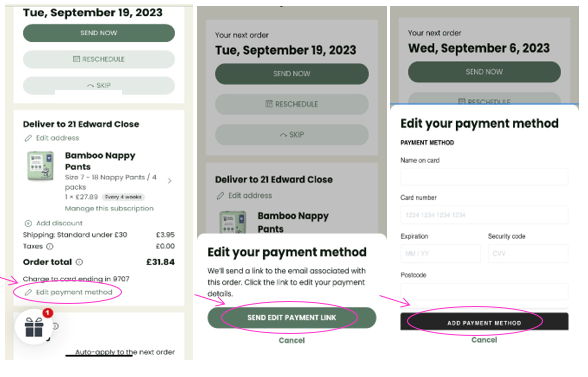
- Log into your Account and select Manage my Subscription.
- On the next page click under Order total click on ‘Edit payment method’.
- EITHER click ‘SEND EDIT PAYENT LINK’ in the pop-up box which will automatically send n email to allow you to update your payment details.
- OR complete the payment details in the pop-up box and click ‘ADD PAYMENT METHOD’.