How do I remove a one-time purchase /add-on I have added to my subscription?Updated 5 months ago
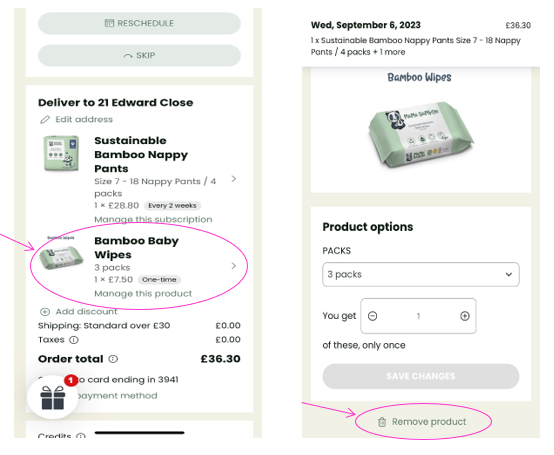
Like subscriptions, one-off products that have been added to your subscription can also be removed.
- Log into your Account and select Manage my Subscription.
- On the next page click on your subscription product e.g. Sustainable Bamboo Nappy Pants.
- On the next page scroll down to the bottom of the page and click ‘Remove product’.