How do I update my shipping / delivery address?Updated 5 months ago
Your delivery address can be managed and updated easily from within your susbcription account.
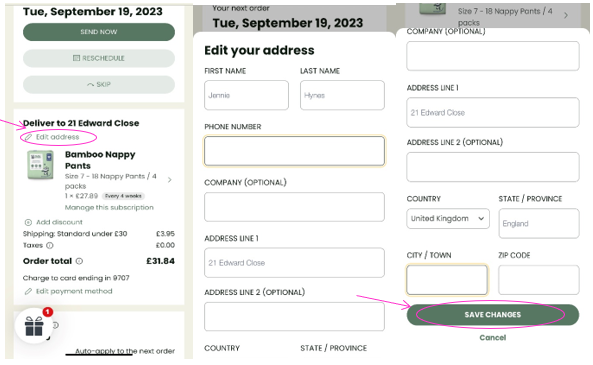
- Log into your Account and select Manage my Subscription.
- On the next page click under Deliver to click on ‘Edit address’.
- A box will open, key in the new address into the relevant fields and then click ‘SAVE CHANGES’.